Release Note Highlights - Nudgis 14.2.0
This document details the functional improvements in Nudgis version 14.2.0. Please refer to the full release note you received by email for the complete list of changes.
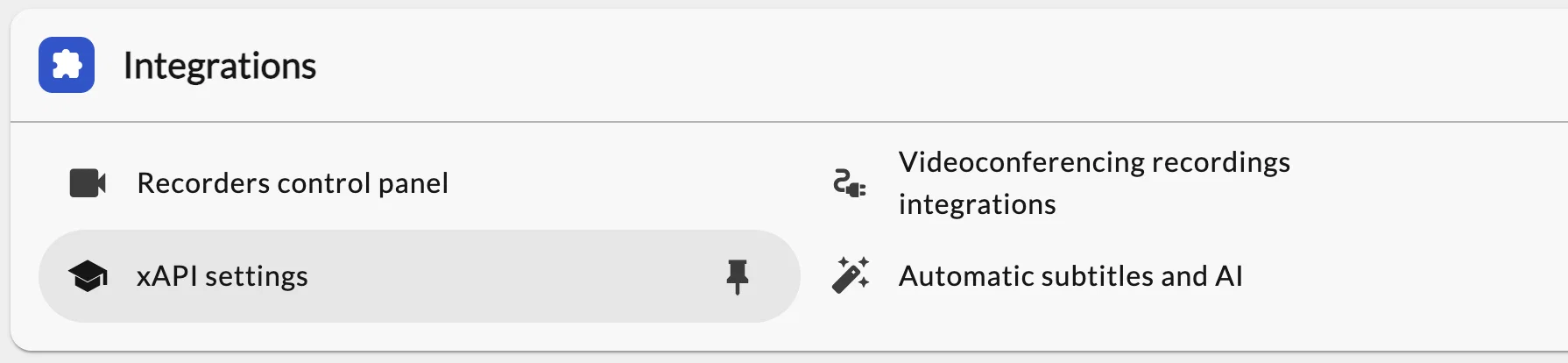
📊 Advanced learning analytics: connect Nudgis to your LRS for real-time xAPI tracking
In an increasingly connected educational ecosystem, accurately tracking learner engagement is essential to measure the effectiveness of learning paths.
Version 14.2.0 reaches an important milestone by integrating the xAPI standard (ADL Video Profile).
From now on, your Nudgis portal can communicate directly with an LRS (Learning Record Store) server. Viewing data is sent in real time to the LRS during playback: you can see which segments were watched, when, and whether the video was fully viewed.
Educational benefit: By centralizing these indicators in your LRS and cross-referencing them with activities in your LMS (Moodle, Canvas, etc.), you get a global view of your students' learning journey, allowing you to identify early dropout warning signs quickly and adapt your support.
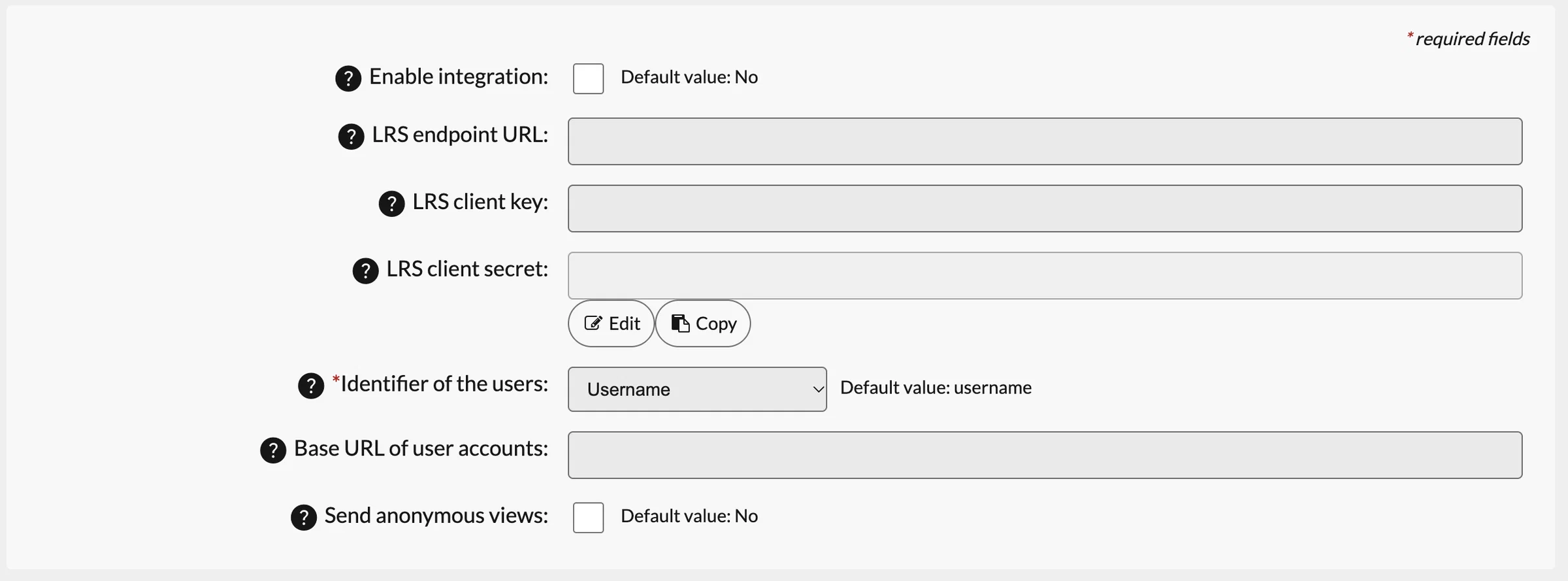
Simplified setup: Configuration is done in the Nudgis administration console (one LRS per portal), by entering the URL and access keys of your LRS server.
[14.2] Support xAPI Video Profile
En MVP, implémenter le support de xAPI Video Profile (https://liveaspankaj.gitbooks.io/xapi-video-profile/content/statement_data_model.html). Cela permet de remonter des traces d'interaction avec la vidéo comme le fait qu'elle a été : Initialisée / Jouée / Mise en pause / Manuellement positionnée à un moment de la vidéo / Manipulée pour d'autres actions (ex: accélérée/résolution changée) / Lu entièrement... For the MVP, implement xAPI Video Profile (https://liveaspankaj.gitbooks.io/xapi-video-profile/content/statement_data_model.html$ ). This allows for the reporting of video interaction traces such as the fact that it was: Initialized / Played / Paused / Seeked / Interacted (e.g., accelerated/resolution changed) / Completed...
0
⚡ Process and download your media in bulk
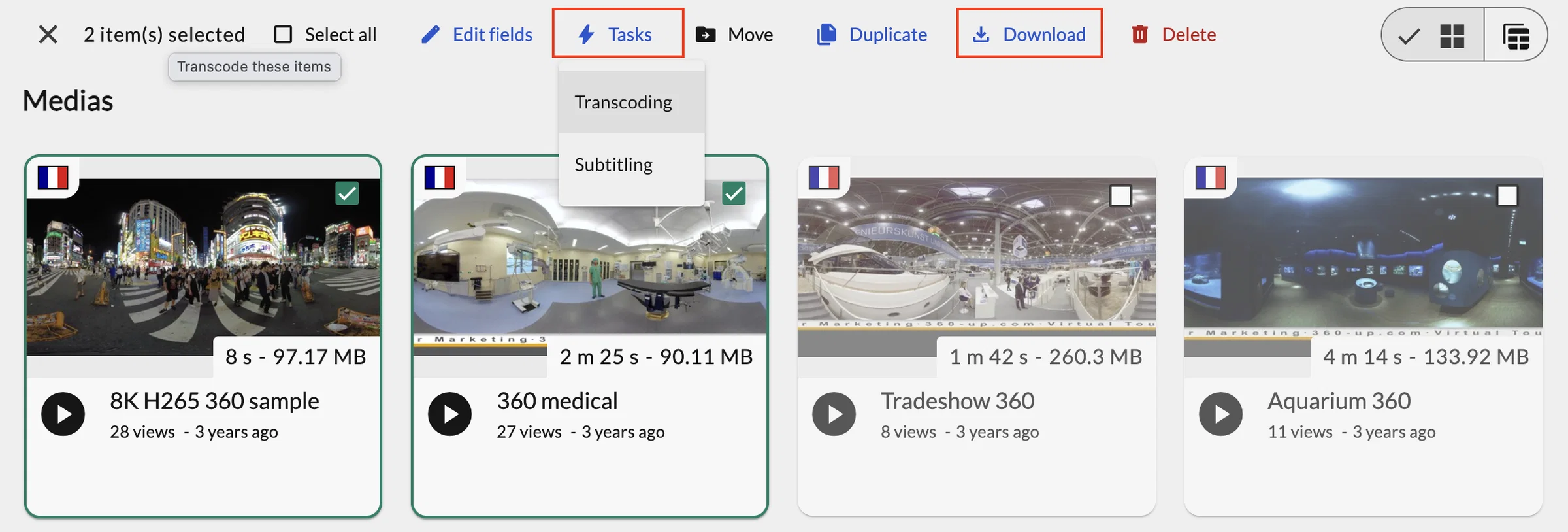
To simplify the day-to-day management of large video libraries, version 14.2.0 introduces new bulk actions in the media catalog.
You can now select multiple media in your channels to run heavy operations simultaneously:
- Bulk download: Retrieve a ZIP archive containing, in a single operation, the best available video file for each selected media.
- Automatic subtitle generation: Run subtitling in bulk according to your channels' languages and settings.
- Bulk transcoding: Generate missing resolutions and qualities for a selection of videos in one go.
Administrators stay in control of the actions offered in the catalog, and the options displayed naturally adapt to each user's permissions.
🔗 New links to easily embed your videos in H5P and other third-party tools
Embedding your Nudgis content in external learning tools (such as H5P interactive exercises, your Moodle courses, blogs or institutional websites) now benefits from a new, more robust approach.
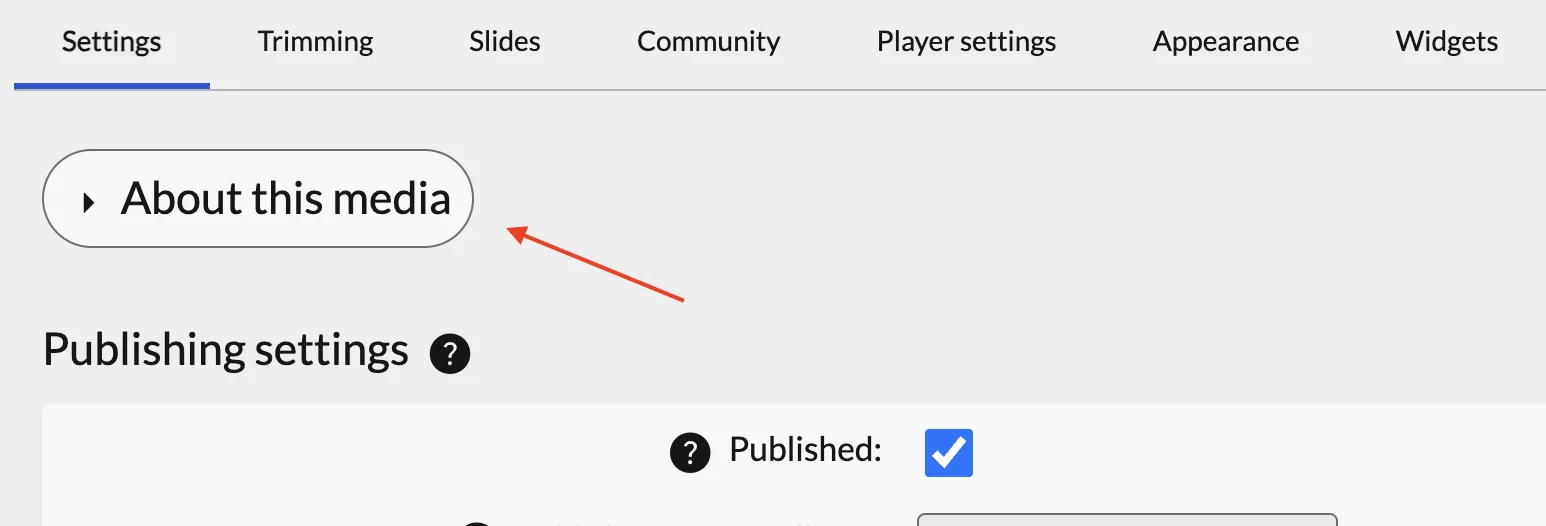
The "About" panel, located on each media's edit page, has been enhanced and is now collapsed by default to declutter the interface.
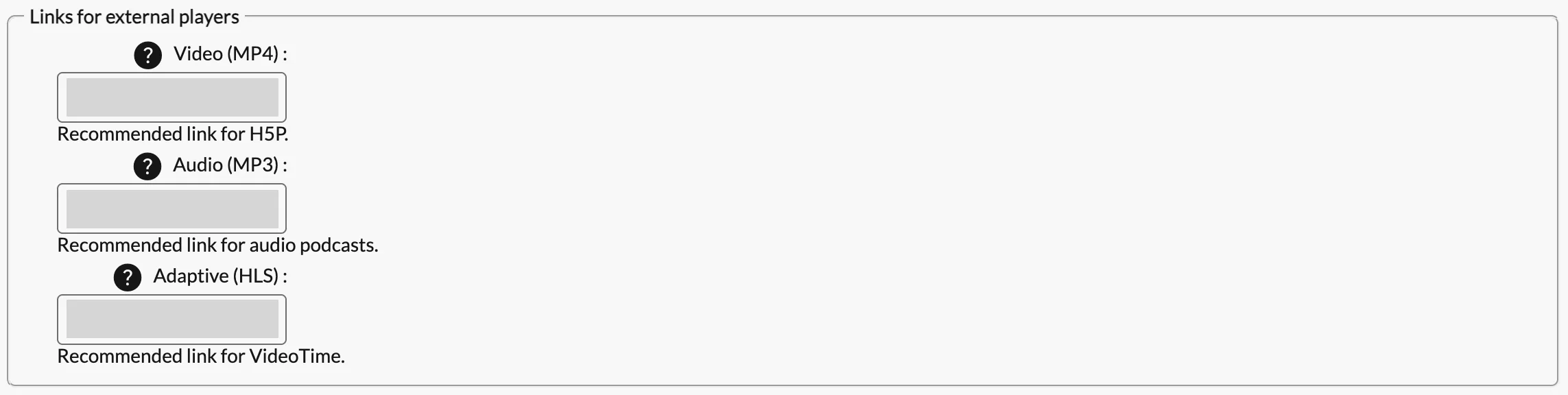
As before, it includes links to the media, as well as a new section offering robust links for external players:
- Video link (MP4): Particularly recommended for easily embedding your videos in H5P interactive modules.
- Audio link (MP3): Ideal for distributing the audio track of your courses or lectures.
- Adaptive link (HLS): Perfect for external players that support dynamic quality based on the user's connection. This link is the preferred option for VideoTime.
These links are based on the resource type rather than the file name: they remain valid over time, even if the file is renamed, the server changes or your storage is reorganized.
🧭 Tailored navigation with a redesigned side menu
To give every user instant access to the spaces they need, we rethought the structure and usability of the side navigation bar.
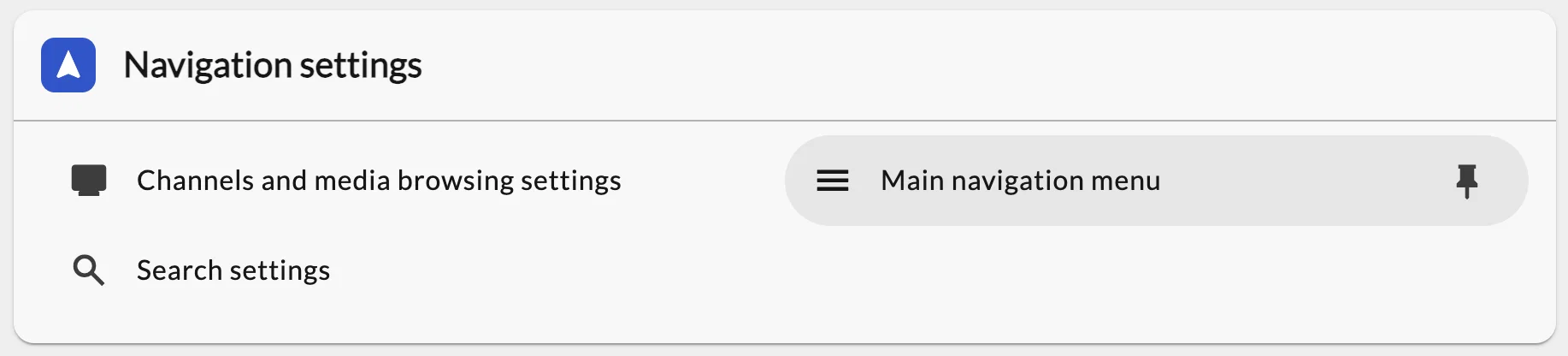
The menu now has a fixed, stable layout, perfectly clear at a glance.
Beyond this visual clarification, the menu becomes fully customizable by administrators:
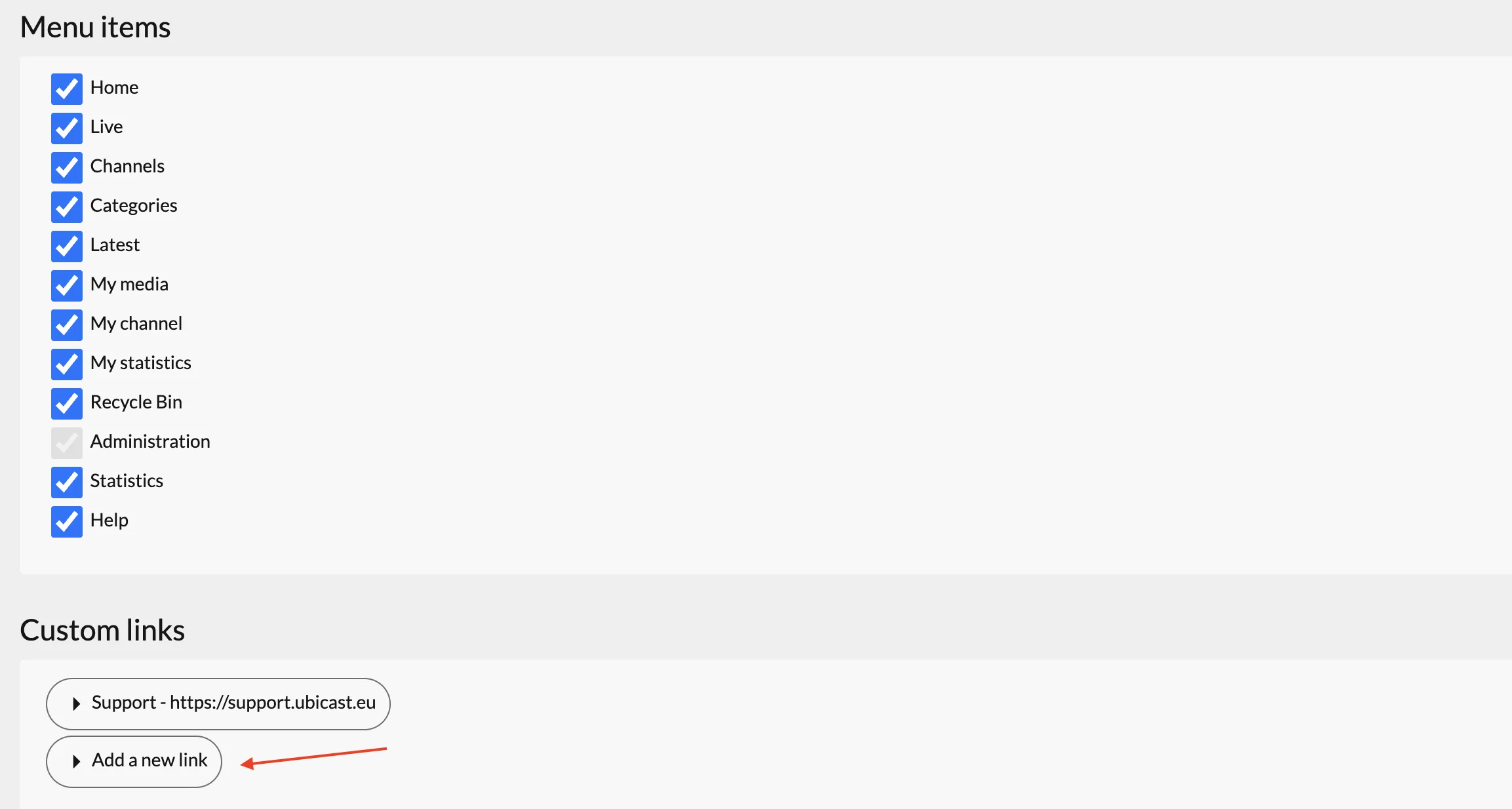
Gain clarity: Easily hide the sections or features you don't use on your portal to lighten the interface.
Guide your users: Add custom links directly in the navigation to direct your teachers and students to key resources (internal help page, FAQ, institution portal, technical support, etc.).
[14.2] Ajouter un item dans le menu de navigation / Add an item in the navigation menu
Permettre l'ajout d'un item personnalisé renvoyant vers une URL dans un nouvel onglet ou en redirection directe. Use cases : Rediriger vers une plateforme tierce (support, LMS, hub principal de l'établissement, etc) Rediriger vers une chaîne Allow the addition of a custom menu item linking to a URL in a new tab or via direct redirection. Use cases: Redirect to a third-party platform (support, LMS, main institutional hub, etc) Redirect to a channel page
0
💬 Annotation moderation: optimized, in-context validation
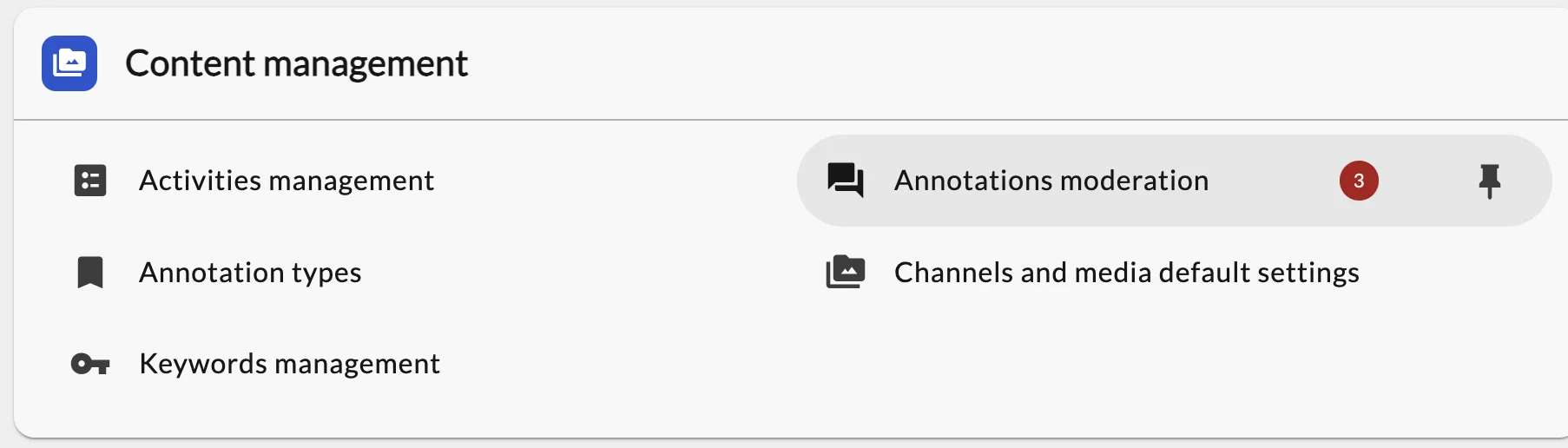
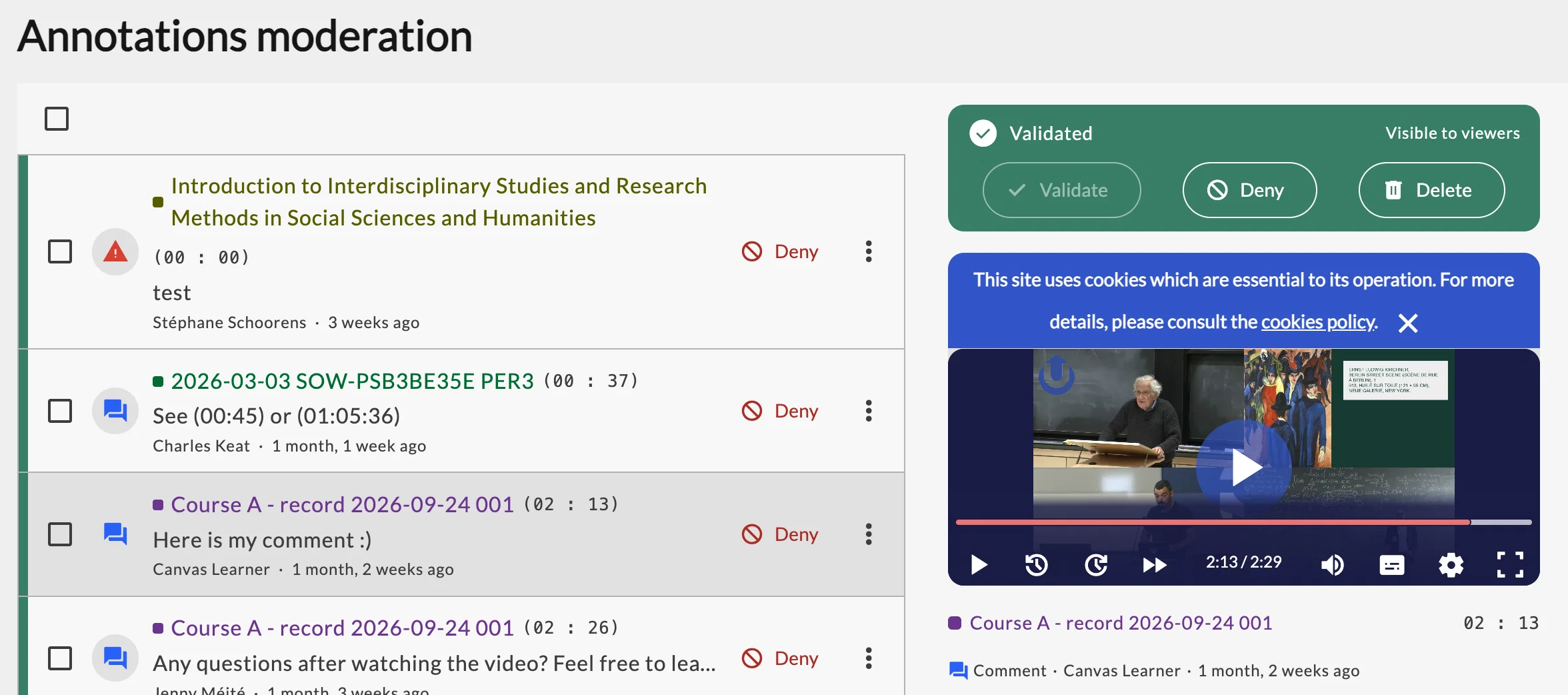
In 14.2.0, the annotation moderation page adopts a brand-new interface.
On the left side, you'll find the list of all comments awaiting validation. As soon as you select an annotation, the embedded video player on the right side automatically jumps to the exact second of the relevant segment. Which enables you to instantly view the video passage, without opening a new tab or searching for it manually.
This new interface also lets you perform bulk actions (approve, reject or delete several annotations at once) and remains directly accessible in the Nudgis Video Manager of your LMS.
🎨 A redesigned video player and tailored viewing comfort
Watching educational content should be smooth and pleasant, whatever the learner's device or visual needs.
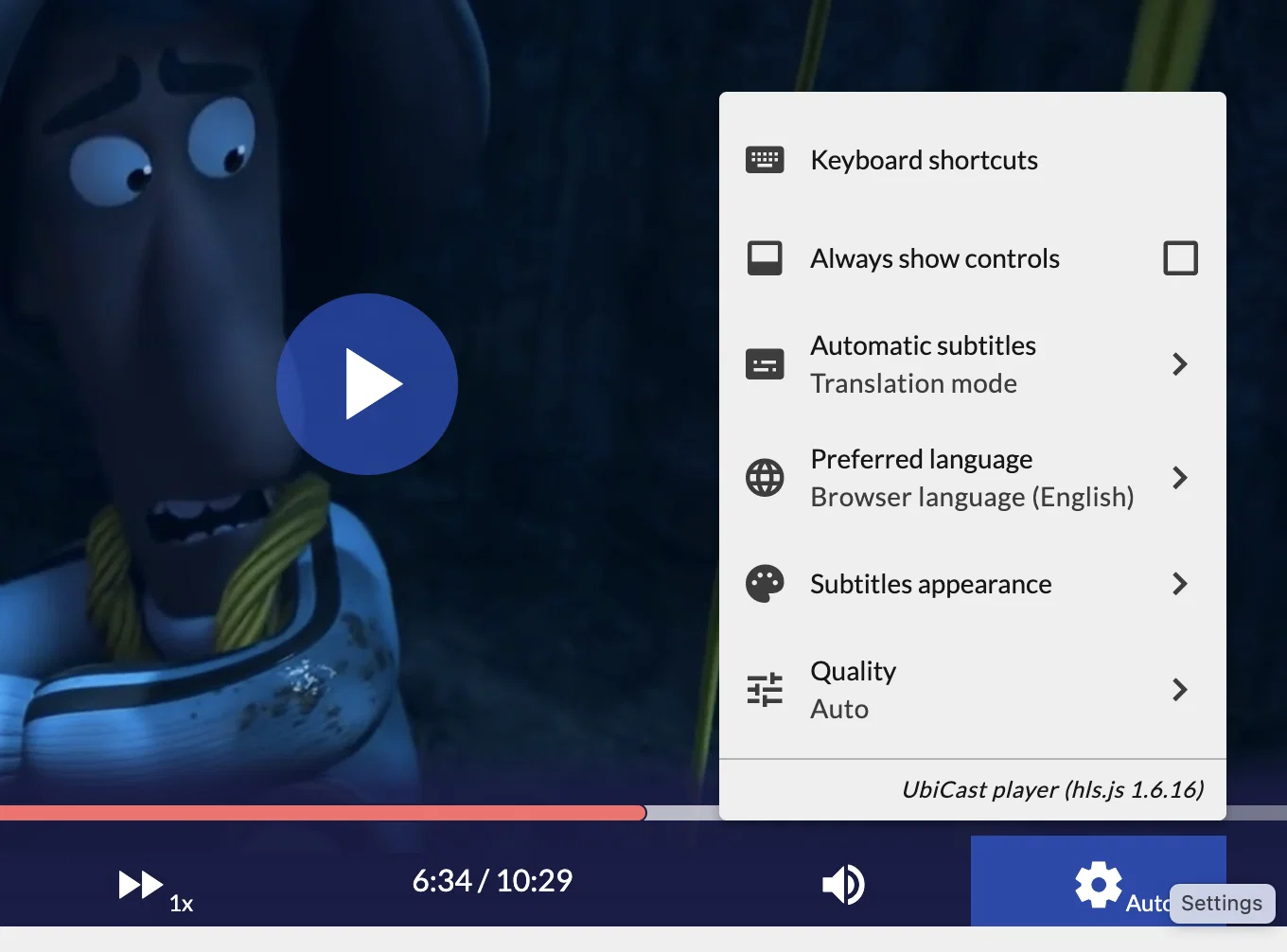
That's why in 14.2.0 the player settings have been expanded and are now organized into compact submenus.
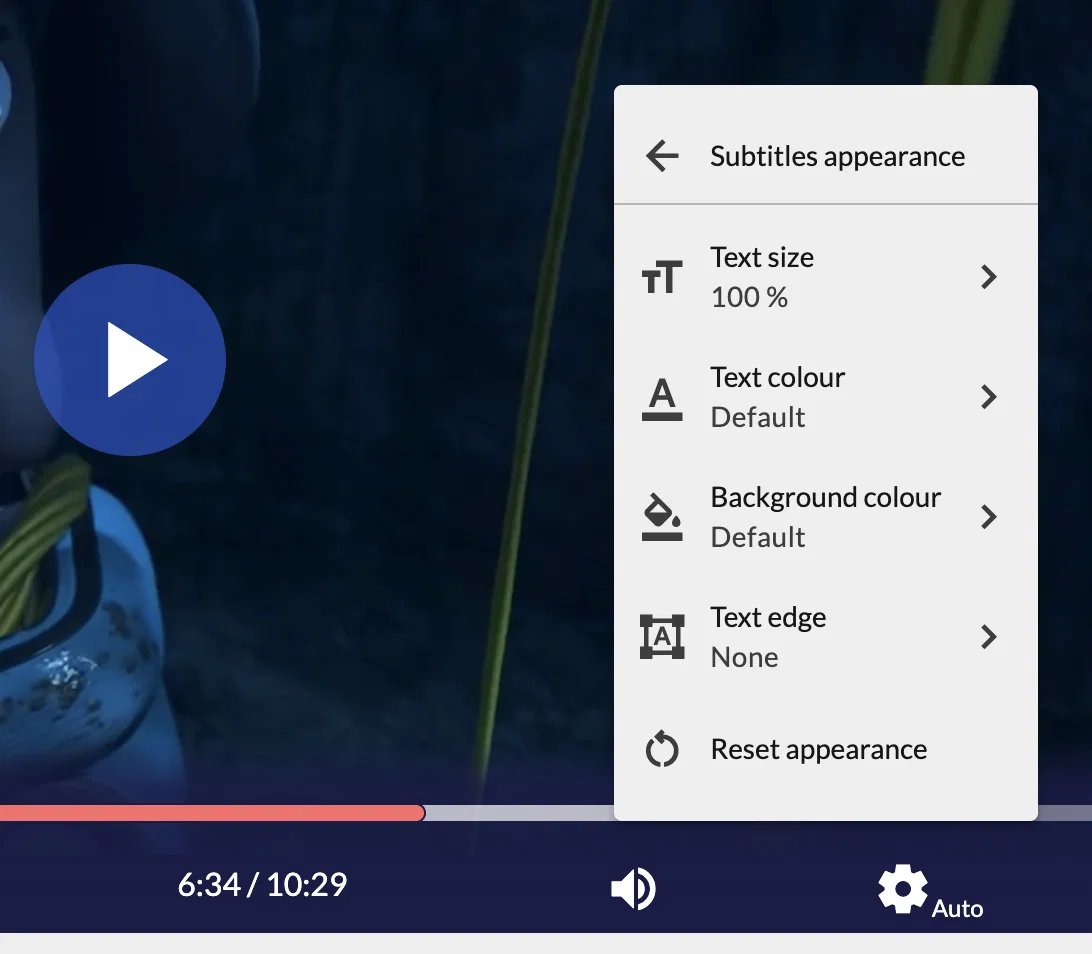
A brand-new submenu dedicated to subtitle customization has notably been added. Each user can now adjust to their liking:
- The size of the text
- The color of the text
- The background color of the subtitles
- The text outline effect
These settings are saved directly in the user's browser. For example, a student can opt for a large-print display on their smartphone and a more discreet display on their desktop computer.
[14.2] Styles d'affichage des sous-titres / Caption display settings
Dans le lecteur vidéo, ajouter des options d'affichage des sous-titres pour modifier (sur une présélection d'options). Par exemple : La taille de police La police L'épaisseur de la police La couleur de fond de la police L'objectif est de rendre l'affichage plus accessible/inclusif et personnalisé. In the video player, add subtitle display options to modify (from a pre-selection of options). For example : Font size Font family Font weight Font background color The goal is to make the display more accessible/inclusive and personalized.
1
👤 A modernized "My profile" page and more autonomy over your API keys
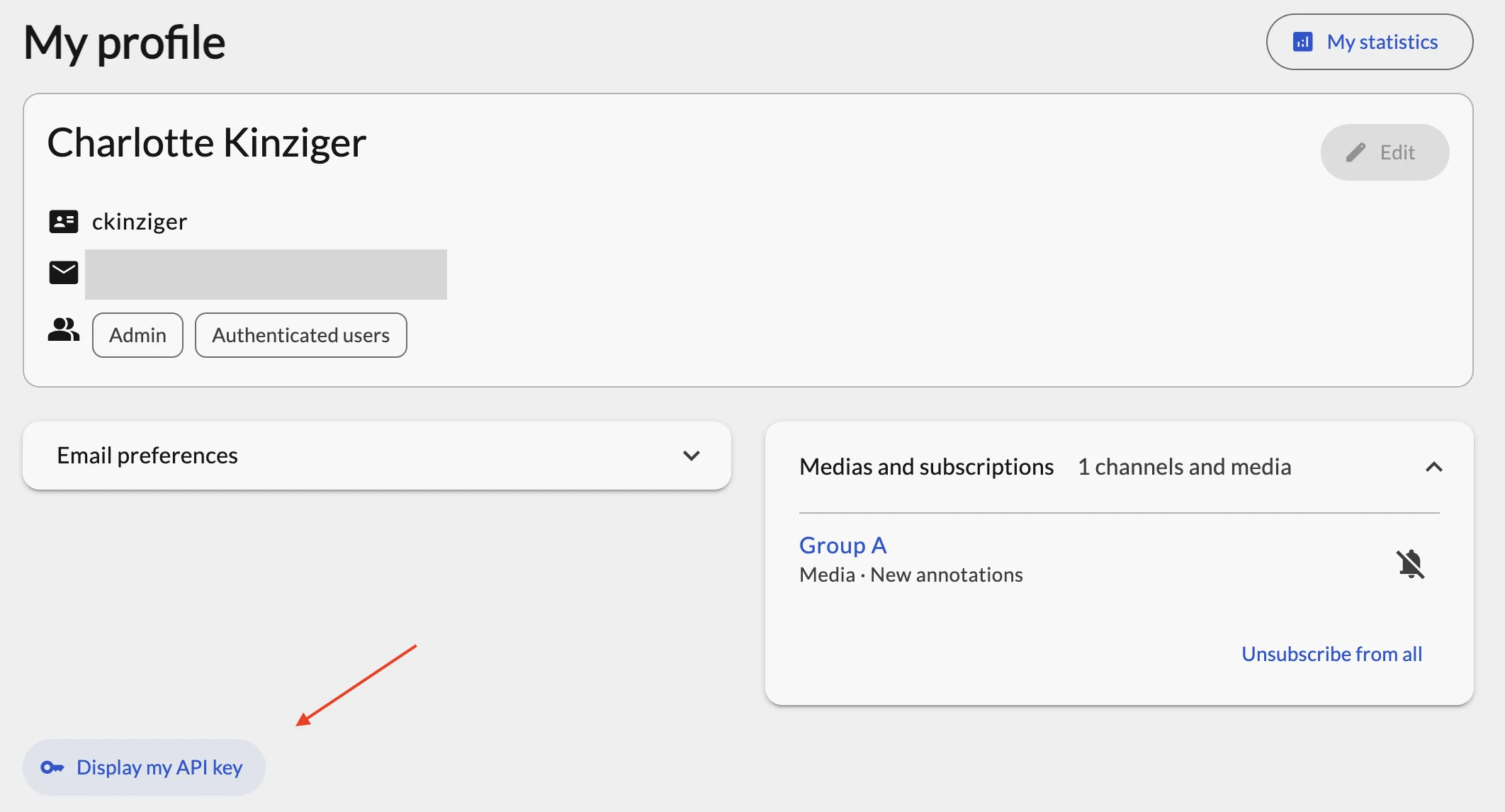
The user profile page adopts Nudgis' modern interface and gains clarity. It now clearly separates your permanent account information from temporary settings tied to your web browser (such as the display language).
This redesign brings an essential new feature for technical users: you can now view, revoke and regenerate your API key on your own, directly from your profile, without having to contact a portal administrator (if viewing API keys is allowed on your portal).
This ensures immediate responsiveness and enhanced security should you have any doubt about a key's confidentiality.
♿ Our cross-platform commitment to accessibility
As part of our commitment to a more inclusive web, Nudgis 14.2.0 includes a major accessibility initiative covering every page of the platform.
In-depth work has been carried out on the HTML structure of the code to ensure optimal compatibility with screen readers and assistive technologies.
Visually, some interactive elements such as checkboxes have been enlarged for easier pointing and clicking.
All of these improvements aim to comply with WCAG 2.2 AA requirements, which will be formally validated through a dedicated accessibility audit during the cloud rollout.