Release Note Highlights - Nudgis 14.1.0
This article details the functional enhancements in Nudgis 14.1.0 Please refer to the full release note that you have received by email for the full list of changes.
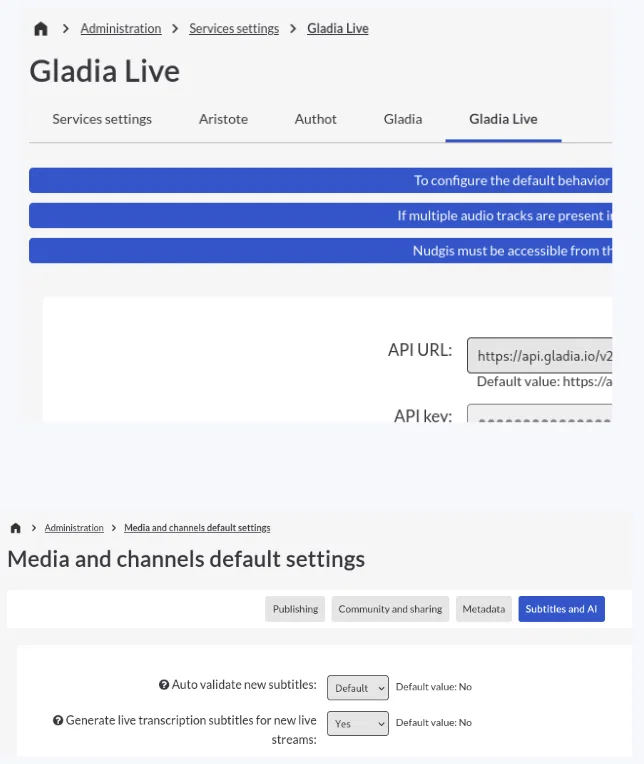
🎙️ [BETA] Live Automatic Captions
To make your live streams even more accessible to your audience, the automatic captioning feature is now available in beta.
For viewers, the experience remains perfectly smooth and familiar, as live captions appear seamlessly within the player, with no changes compared to on-demand videos.
As part of this initial phase, to ensure a gradual rollout and protect our API key, the service is provided exclusively through our provider Gladia’s cloud servers and offers transcription without translation during this first phase.
This first iteration is just the beginning of a more ambitious rollout. Starting with version 14.2.0 (Beta Phase 2), the experience will be significantly enhanced with the introduction of live translation, and the feature will become available to a wider audience with expanded availability across both cloud and on-premises environments.
Finally, the final phase (version 14.3.0) will mark the culmination of this project with general availability for all our customers and the addition of Authot as an alternative provider (note that automatic language detection is not planned at this stage).
Note: To activate the feature test, please contact the sales team at sales@ubicast.eu.
[14.1] Transcription des diffusions en direct / Live transcription
Développer la transcription en direct des flux lives (HLS). L'affichage se ferait sous forme de sous-titre habituel dans le lecteur vidéo. Develop live transcription for HLS live feeds. The text would be shown as usual subtitles in the video player.
0
📁 Editing channel and media metadata from the catalog
The organization of your media library has undergone a major overhaul, designed to save you valuable time every day.
The real game-changer is bulk editing via multiple selection. By simply checking a set of videos or subchannels, you can now modify all their metadata at once.
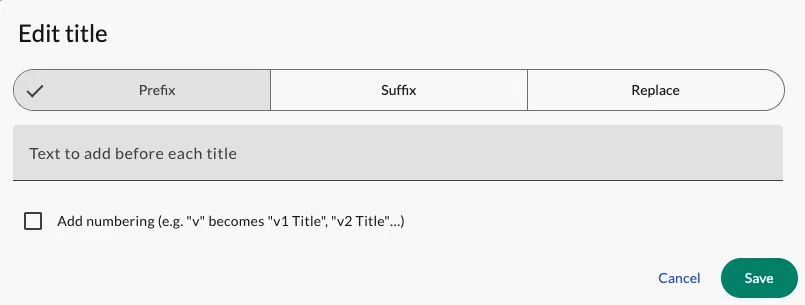
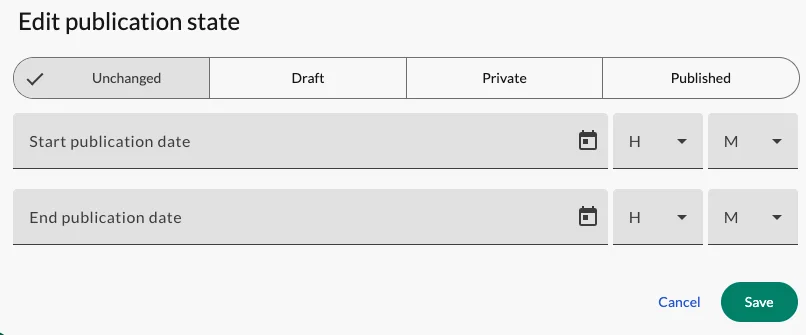
When it comes to titling, flexibility is total. With a single action, add a prefix or suffix, replace a word, or apply automatic numbering to your entire selection. This powerful editing capability naturally extends to your strategic settings: with just a few clicks, you can standardize the publication status ((Draft, Private, Published)) as well as the availability dates for an entire batch of videos.
You can find the new article on publication guidelines: here .
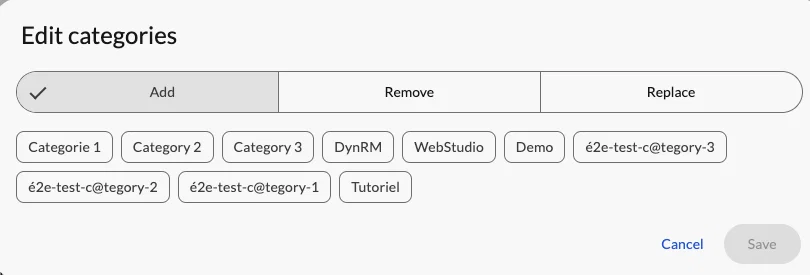
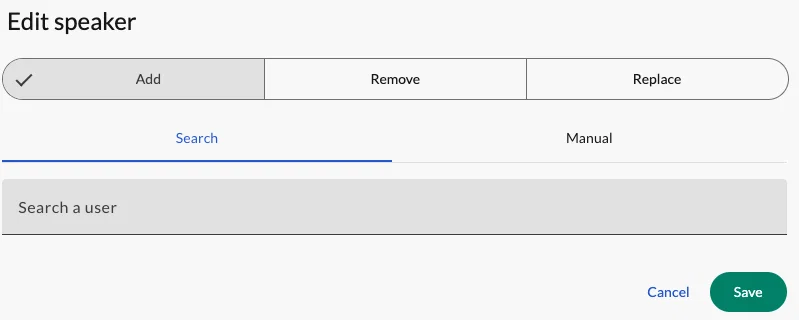
Indexing is also smoother. You have the freedom to add, delete, or completely replace categories, language, or contributors for all selected items.
To ensure complete peace of mind during these batch actions, a preview window consistently details the impact of your changes before any final confirmation.
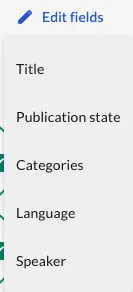
Finally, this user-friendly experience also applies to individual management. A simple right-click (or a click on the menu) on a piece of content in the catalog instantly opens this quick-edit panel.
Correct a typo, add a category, or change a status in a fraction of a second, without having to reload the entire settings page.

[14.1][Channel Page] Edition rapide de métadonnées courantes d'un media // Quick edit common media metadatas
Ajouter la possibilité d'éditer rapidement les métadonnées courantes d'un média comme : Titre Etat de publication (publié/listé/dates de publications) Catégories Langue du média Intervenant(s) Le clic-droit de la souris sur le média ouvrirait directement le sous-menu d'option. Add the ability to quickly edit a media item's core metadata, such as: Title Publication state (published / listed / publication dates) Categories Media Language Speaker(s) A mouse right-click would also open the options menu.
0
🛠️ Redesign of the administration interface and task panel
We have redesigned the administration space and the task tracking panel to provide you with a more user-friendly, clearer, and more responsive work environment.
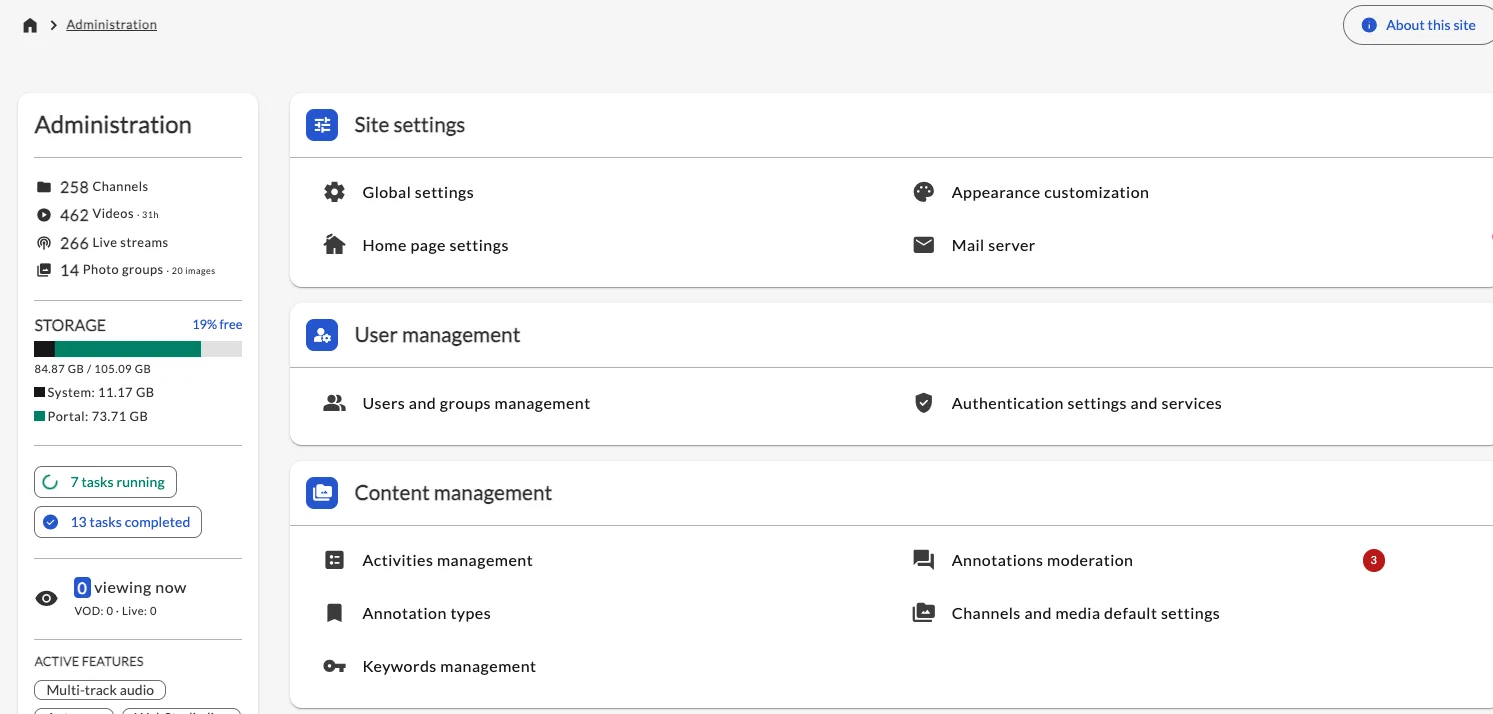
Redesign of the administration menu: Information is now displayed as a sidebar (except on mobile), and the order of sections and links has been revised based on the usual user journey. You also have the ability to bookmark your links to access them instantly.
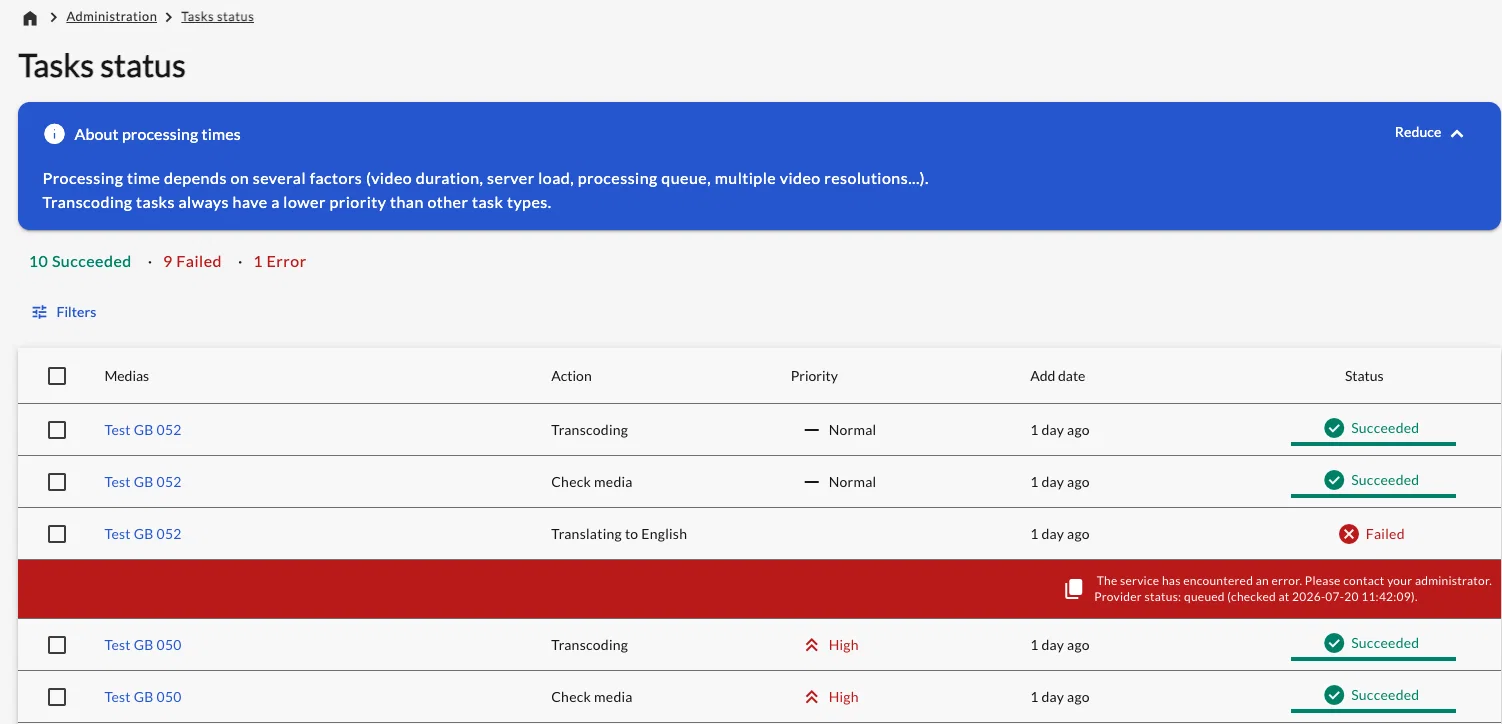
New interface for tasks: The task tracking panel has been completely rewritten , offering a modernized design and improved responsiveness.
Bulk Actions: You can now select multiple tasks at once (using checkboxes) to change their priority (for example, setting them to "High" priority) or perform other bulk actions, a significant time-saver when managing queues.
Advanced filters: A new filter panel lets you search for specific tasks by title, priority, date added, or status (Successful, Failed, Error), making it easier to track your processes.
Optimized error handling: When a task fails, you can view the details and use a new button to easily copy this information (task ID, error message) to quickly forward it to technical support.
Redesigned mobile mode: On small screens, the table transforms into a “cards” view, which is much better suited for reading on a smartphone. Errors are hidden by default to streamline the display, but remain accessible with a single click on the corresponding card.
"Smart" Info Banner: The information banner can now be collapsed to save screen space. This setting is saved, so it will remain collapsed during your future visits.
[14.1] Statut des taches: tri / Tasks status: sort by
Serait t'il possible de pouvoir dans le tableau de statut des taches avoir une fonction de classement. En gros en tri par conditions. Dans mon cas je voudrais par exemple voir toutes les tâches en cours en premier. Would it be possible to implement a sorting function for the task status table. This would involve sorting by condition, allowing me, for instance, to see all "in progress" tasks at the top.
0
🎓 LTI synchronisation and creating course-specific channels in the LMS
Nudgis’ integration with your LMS (such as Moodle, for example) has been redesigned to save you time and simplify the organization of your educational content.
Now, Nudgis automatically creates a clear organizational structure (a “tree”) dedicated to each connected LMS (for example: “LTI - Moodle 1,” “LTI - Moodle 2”).
This ensures that content from different environments will no longer get mixed up.
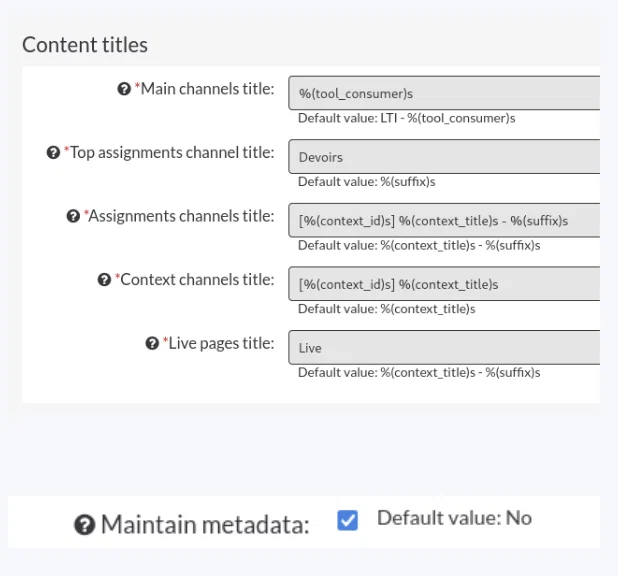
New customisation options allow you to precisely define how these channels and media items are automatically named.
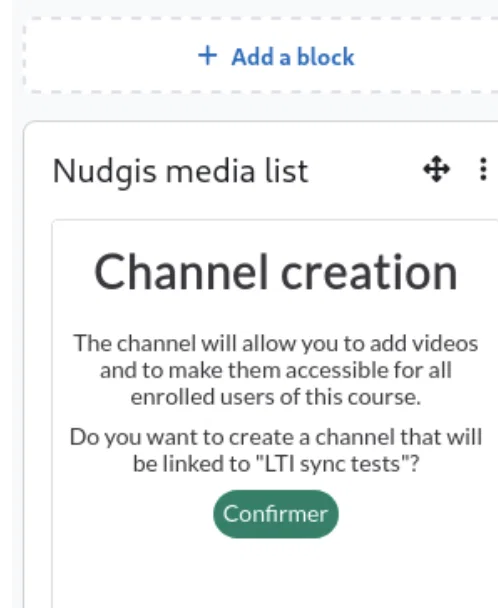
To make life easier for teachers, we’ve introduced a new synchronization page (accessible directly from the LMS via the Moodle plugin).
This feature allows you to instantly create a Nudgis channel linked to a specific course in the LMS. To create the channel, the user accessing this page must have permission to create channels; otherwise, a “permission denied” error will be displayed.
By default, the teacher is asked for a simple confirmation, but you can even make this process fully automated.
It’s also possible to automatically generate a page dedicated to live streams (“lives”) there.
The goal is simple: you enable your instructors to create and organize their video spaces directly from the tool they use every day, without any additional administrative effort.
[14.1][LTI] Ajouter une chaîne parente par LMS / Add a parent channel per LMS
Une chaîne parente portant le nom d'hôte du LMS source (ex: "lms1.univ.eu") devrait accueillir les sous-chaînes créés automatiquement via LTI (de type devoir ou cours). Par défaut, cela se créera avec cette logique : [Autres chaînes racines] Chaîne "LTI - lms1.client.eu" Sous-chaîne "Assignments" Chaîne "LTI - lms2.client.eu" Sous-chaîne "Assignments" Chaîne "LTI - lmsN.client.eu" Sous-chaîne "Assignments" A parent channel bearing the hostname of the source LMS (e.g., "lms1.univ.eu") should host the sub-channels automatically created via LTI (assignment or course type). By default, the channel tree logic will be like this : [Other Root channels] Channel "LTI - lms1.client.eu" Sub-channel "Assignments" Channel "LTI - lms2.client.eu" Sub-channel "Assignments" Channel "LTI - lmsN.client.eu" Sub-channel "Assignments"
0
[14.1][LTI] Créer une chaîne Nudgis à partir du cours d'un LMS / Create a Nudgis channel from a LMS course
Avoir la possibilité de créer une chaîne Nudgis à partir d'un cours LMS en intégrant un lien LTI dédié à cette nouvelle fonctionnalité. Cela permettrait : Création manuelle (action utilisateur pour valider la création) ou automatique (paramétrage globale dans l'administration LTI de Nudgis) Nommage pouvant reprendre des éléments renvoyés par LTI (ex: nom du cours, id LMS du cours, LMS source...) Créé directement en tant que sous-chaîne dans une chaîne parente au nom du LMS Si la chaîne existe déjà, cette page redirige vers la page LTI de chaîne Option pour ajouter un média de type Live directement dans cette chaîne pour faciliter le ciblage dans Miris Manager ou pour lancer un Webstudio Live Be able to create a Nudgis channel from an LMS course by integrating a dedicated LTI link to this new functionality. This would enable: Manual creation (user action to validate the creation) or automatic (global configuration in Nudgis LTI administration) Naming that can use elements returned by LTI (e.g., course name, LMS course ID, source LMS...) Created directly as a sub-channel of a parent channel named after the source LMS If the channel already exists, it automatically redirects to the channel LTI URL. Option to add a Live media type directly to this channel to facilitate targeting in Miris Manager or to launch a Webstudio Live
0
🔊Capturing PC Audio with WebStudio
You can now capture audio from your computer during recordings using WebStudio.
Please note that capturing the entire system sound is exclusively available on Windows. Otherwise, audio capture will be limited to a specific browser tab. This feature is compatible only with Chromium-based browsers (such as Chrome, Edge, Brave, or Opera).
[14.1] WebStudio : Capter le son de l'ordinateur
Objet technique : Activation du mixage audio système (Loopback) sur WebStudio. Besoin utilisateur : Pouvoir enregistrer le son sortant de l'ordinateur (audio système) pendant une captation WebStudio. L'objectif est de diffuser une vidéo depuis mon écran tout en garantissant que le son de celle-ci soit bien capté dans l'enregistrement final. Besoin technique: Permettre l'acquisition de l'audio interne de l'ordinateur lors d'une session WebStudio, afin d'enregistrer simultanément le flux vidéo et la piste sonore d'un contenu multimédia diffusé localement.
0