Release Note Highlights - Nudgis 13.3.0
This article details the functional enhancements in Nudgis 13.3.0. Please refer to the complete release note that you have received by email for the full list of changes.
📄 Synchronized transcript
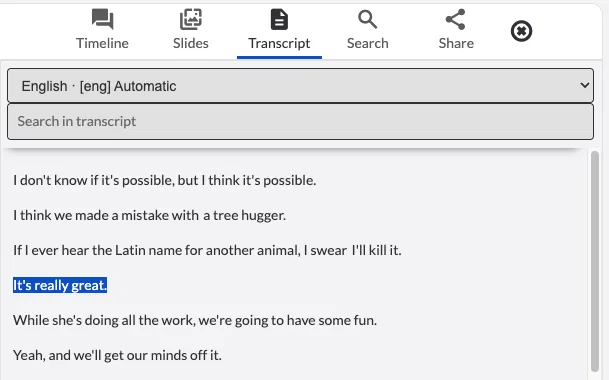
Videos with available subtitles now benefit from a fully synchronized transcript. This appears in the sidebar, and the spoken text is automatically highlighted as the video progresses.
This new feature improves accessibility for all audiences and facilitates content comprehension. Users can now read and listen simultaneously, or easily find a key passage without having to scroll through the entire video.
More details:
[13.3] Transcription synchronisée / Synchronized transcription
Avoir un nouveau widget qui affiche la transcription à côté du lecteur vidéo et met en évidence la phrase actuelle à mesure que le média (audio/vidéo) est lu. Have a new widget that shows the transcript beside the video player and highlights the current sentence as the media (audio/video) is played along.
1
📝 New design for the subtitles editor
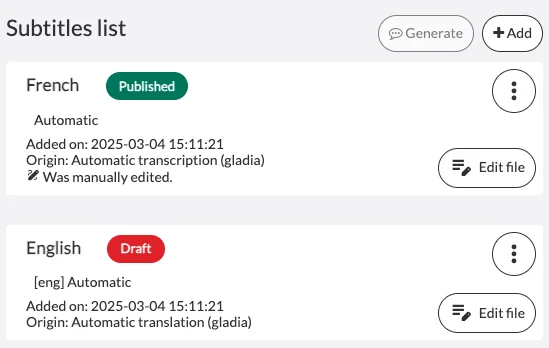
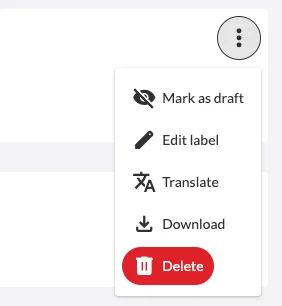
The look of the subtitle editing menu has been revised for greater clarity and user comfort. The list elements are now better organized, making navigation and proofreading more pleasant.
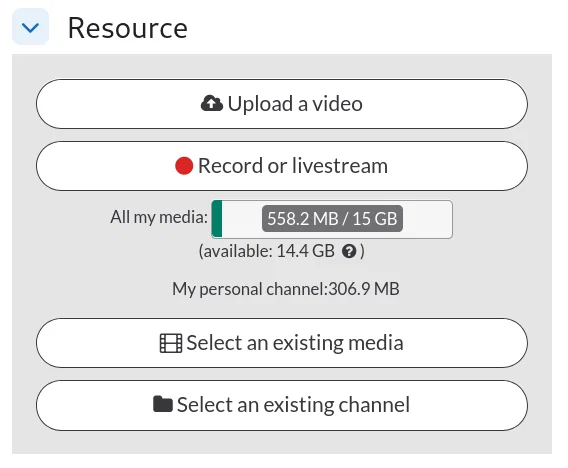
🔗 Simplified LTI integration for channels
Teachers can now select a channel directly from the LMS Video Manager. The established rights and permissions are, of course, still respected, meaning each user only sees the channels they have access to.
NB - In the case of assignment submissions, the channel selection will not appear.
More details:
[13.3] Sélectionner et intégrer une chaîne via LTI / Select and integrate a channel through LTI
Lors de l'utilisation de la boîte de dialogue du Gestionnaire LTI (LTI Manager) dans votre LMS, nous avons ajouté un nouveau bouton qui permet UNIQUEMENT aux Enseignants de sélectionner et d'intégrer une page de Chaîne dans une page/activité du LMS. Détail : Les Chaînes disposent désormais d'une nouvelle option dans les « Paramètres de publication par défaut des chaînes » appelée « Autoriser l'intégration LTI » (Allow LTI embedding). Cela garantit un contrôle total sur les chaînes autorisées à l'intégration. Si cette option est désactivée, la chaîne ne sera pas sélectionnable. When using the LTI Manager dialog in your LMS, we have added a new button that ONLY allows the Teachers to select and integrate a Channel page into an LMS page/activity. Detail : Channels now have a new "Default publishing settings for channels" option called "Allow LTI embedding" that ensures full control to which channels are allowed for integration. If it is disabled, the channel will not be selectable.
0
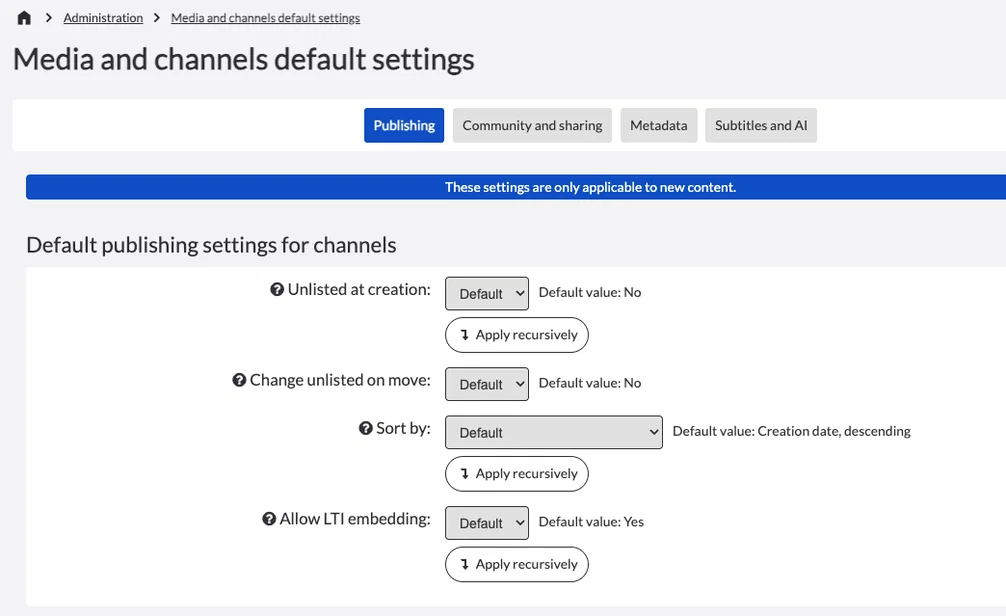
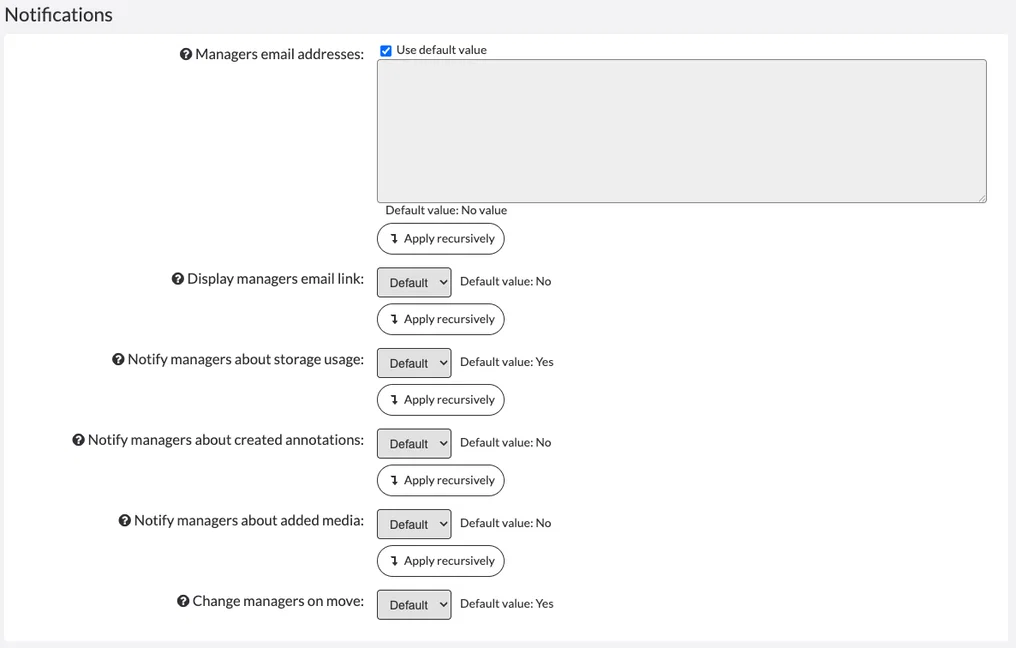
⚙️ Harmonization of Default Settings for Channels and Media
The publication settings have been redesigned for greater consistency with the rest of this menu.
For most options, a new "apply recursively" button now allows for the automatic propagation of choices made to existing media or channels. This evolution represents a significant time-saver and guarantees configuration homogeneity across channels.
🔍 New filter by media and channel title
Users will now be able to filter the list of media and sub-channels within a channel by title. This new functionality is located in all the 'Filters' widgets for content lists throughout Nudgis (e.g., on a channel page).
More details:
[13.3] Filtre par titre / Filter by title
Nouveau filtre par titre de médias et sous-chaînes (directes) permettant de filtrer les contenus d'une chaîne en tapant entrant une chaîne de caractères. New filter by title of media and (direct) sub-channels allowing to filter channel's contents by using a string.
0
🏠 New Homepages (Beta 2)
The new homepage system is evolving towards greater personalization and flexibility. For each template, it is now possible to define visibility by group, customize the URL, add a specific logo, and choose a background.
These new features enable the creation of welcome spaces that reflect the visual identity and needs of each entity. Homepages thus become true educational showcases.
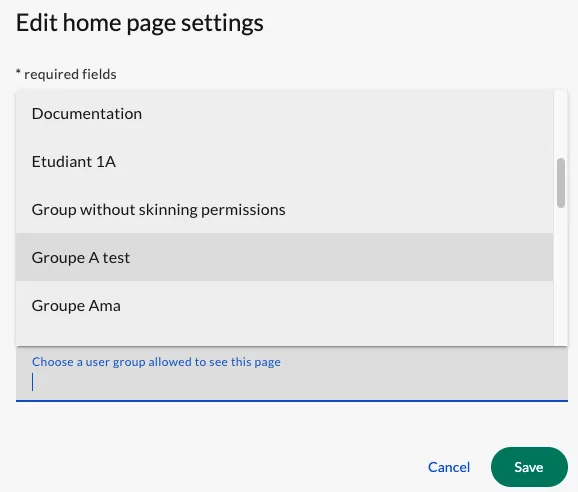
Group Selection in Visibility Criteria
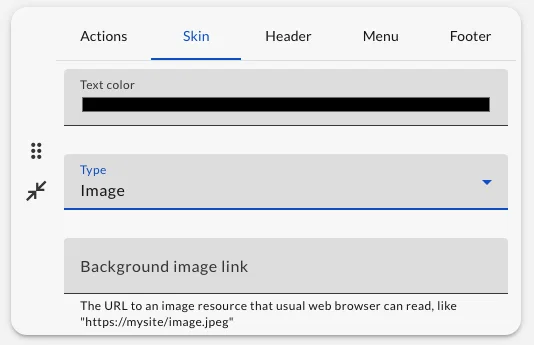
Addition of an 'Skin' tab, notably to add a background image:
More details:
[13.3][New Homepage] Beta Phase 2
La Beta 2 ajoutera les fonctionnalités suivantes : Archivage des pages d'accueil pour éviter la suppression définitive et désencombrer la liste des pages d'accueil actives.Ajout d'une « URL slug » pour les pages d'accueil, permettant un accès direct à celles-ci (par exemple : une URL unique vers une page d'accueil dédiée à une Unité / un événement...).Sélection d'un groupe d'utilisateur pour la visibilité d'une page d'accueil.Restriction de la liste des pages d'accueil pour le sélecteur « Page d'accueil par défaut » aux pages d'accueil « Publiques » (utilisateurs non authentifiés).[Widgets] Possibilité de choisir le fond du texte dans le cas où une image ou une vidéo est utilisée comme arrière-plan.Quelques améliorations de l'UX/UI. Beta 2 will add the following features : Archive homepages avoiding direct permanent deletion and unclutter the active homepages list.Added "slug URL" for homepages enabling direct access to homepages (for example: A unique URL to a homepage dedicated to one Unit / an event...).Selection of a user group for the visibility of a homepage.Restrict the list of homepages for the "Default homepage" selector to "Public" (unauthenticated users) homepages.[Widgets] Allow choosing the text background when an image or video is used as the background.Some UX/UI enhancements
0
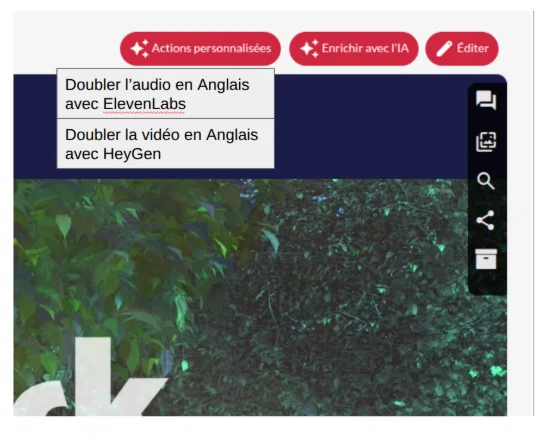
⚡ Custom Actions via Webhooks (Beta available in Acceptance only)
A new feature allows for automatically sending requests to a third-party server during certain actions, either automatically when a new media is added or manually by clicking a button.
This evolution paves the way for advanced automation and customized integrations with other tools.
IMPORTANT: For the time being, this is only available for Acceptance platforms. If you are interested in this feature, we invite you to contact the UbiCast team to activate it.